
Makeup
How to Turn Off Read Receipts on Instagram: 5 Easy Tricks
Jul
Instagram DMs are great until they turn into a tiny digital courtroom. You open one message, the app stamps it with Seen, and suddenly you feel like you owe a full essay, an apology, and possibly a three-part documentary. The good news is that Instagram finally gives users more control over read receipts, and you no longer have to rely on ancient internet folklore like “open the message, throw your phone into airplane mode, and hope for the best.”
This guide breaks down exactly how to turn off read receipts on Instagram, plus a few smart workarounds that help you read messages more privately and reply on your own schedule. Some of these methods are official settings. Others are practical ways to lower the pressure without making your inbox look like a haunted house. Either way, the goal is simple: more privacy, less panic.
What Are Instagram Read Receipts?
Instagram read receipts are the little status signals that tell the sender you’ve opened and viewed their message. In everyday life, that usually appears as a “Seen” label in your chat. For some people, that feature is helpful. For others, it is the digital equivalent of someone tapping their foot while staring at a clock.
If you use Instagram for personal chats, business messages, creator outreach, or community management, controlling read receipts can make a real difference. Maybe you want time to think before replying. Maybe you are juggling a dozen conversations. Maybe you simply don’t enjoy being emotionally ambushed by a “???” ten minutes after opening a DM. Fair enough.
Can You Really Turn Off Read Receipts on Instagram?
Yes. That is the big update many older articles miss. Instagram now lets you manage read receipts in two main ways: you can switch them off for all chats, or you can disable them for specific conversations only. That flexibility is useful because not every chat deserves the same privacy setting.
Still, the full story is a little more nuanced. Turning off read receipts is the cleanest solution, but it is not the only privacy move worth knowing. Notification previews, restricted accounts, unread markers, and quiet notification settings can all help you manage messages without feeling trapped by your inbox.
Trick #1: Turn Off Read Receipts for All Instagram Chats
If your dream is total peace and equal-opportunity mystery, this is the setting to use. Turning off read receipts for all chats means people will no longer see when you’ve read their messages across your Instagram inbox.
How to do it
Open Instagram, go to your profile, tap the menu in the top-right corner, and head into your message settings. Look for Messages and story replies, then find the option for Show read receipts. Switch it off.
Once this setting is disabled, you get more breathing room in your DMs. You can read messages, think about your response, and reply when you are ready instead of responding like a hostage negotiator on a deadline.
When this works best
This option makes the most sense if you are the kind of person who gets a lot of DMs from friends, coworkers, followers, clients, or extended family members who send “hey” and then disappear like they just dropped a plot twist. It is also useful for creators and small business owners who need to check messages without signaling immediate availability.
The main downside
When you use a broad privacy setting, you lose the simplicity of leaving read receipts on for the people you genuinely don’t mind keeping in the loop. That is why Instagram also offers a more targeted option.
Trick #2: Turn Off Read Receipts for One Chat Only
Sometimes you do not need full inbox invisibility. You just need one specific conversation to calm down. Maybe it is a pushy acquaintance. Maybe it is a group chat that behaves like a popcorn machine. Maybe it is that one friend who sends “you there?” after thirty-seven seconds of silence. For those cases, use the per-chat setting.
How to do it
Open the conversation, tap the person’s name or the group name at the top, then go into Privacy & Safety. From there, find the Read receipts option and switch it off for that chat.
This gives you a nice middle ground. You keep read receipts enabled everywhere else, but one conversation gets the velvet rope treatment.
Why this is one of the best Instagram privacy settings
The beauty of this option is precision. You do not have to redesign your whole messaging life just because one chat is exhausting. It is especially helpful if you use Instagram professionally and want quicker, more transparent communication with some people while keeping stricter boundaries with others.
Example
Let’s say you run a side hustle and use Instagram DMs for customer questions. You might leave read receipts on for buyer conversations because fast communication helps sales. But for one overly intense group chat that treats every meme like a federal emergency, you can switch read receipts off and preserve your sanity.
Trick #3: Use Notification Previews Before Opening the Chat
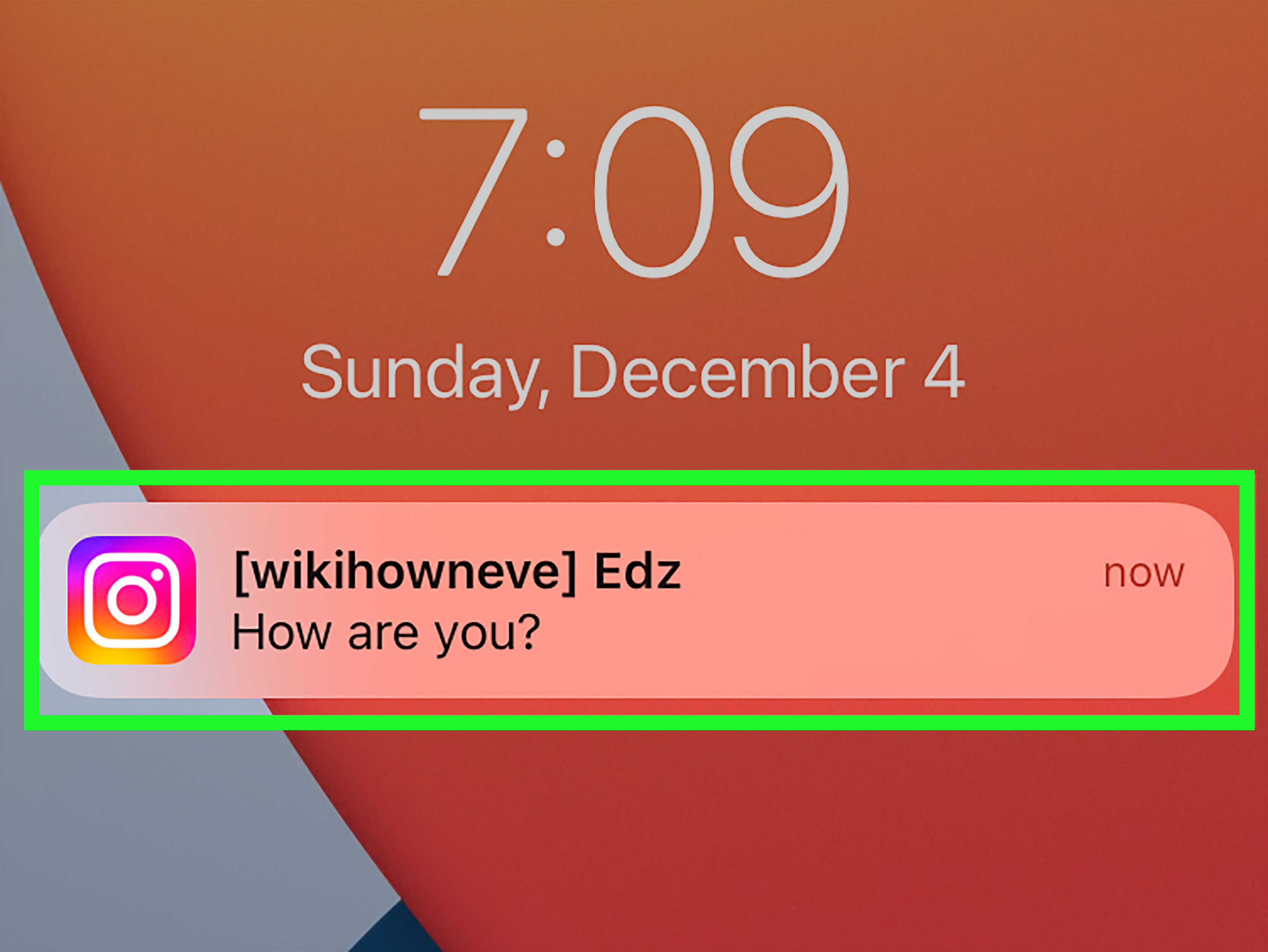
This one is not a pure Instagram read-receipt toggle, but it is still one of the easiest ways to avoid broadcasting that you’ve read a message. In many cases, your phone’s notification preview shows enough of the incoming DM for you to understand the basics without opening the conversation in Instagram.
How it works
If message previews are enabled on your phone and notifications are allowed for Instagram, you may be able to read part of a DM from your lock screen, notification banner, or notification center. That gives you a quick glance without fully entering the chat.
Think of it as peeking through the curtains instead of opening the front door.
Why people like this method
It is fast, low-effort, and useful when you just need context. You can decide whether the message is urgent, whether it needs a thoughtful reply, or whether it is simply another reel from your cousin at 1:14 a.m. featuring a raccoon wearing sunglasses.
The catch
Notification previews are limited. They may only show part of the message, and what appears depends on your phone, your notification settings, and the kind of message you received. This is not a guaranteed full-message reading trick. It is more like a sneak preview than a full screening.
Still, it works beautifully for triage. And when your goal is reducing pressure, triage is half the battle.
Trick #4: Restrict a Person if You Need More Distance
If one conversation consistently stresses you out, the Restrict feature is worth knowing. Restricting someone on Instagram does not block them, and it does not announce itself with fireworks. Instead, it quietly changes how their messages reach you.
What Restrict does
When you restrict someone, that chat moves out of your main inbox and into Message Requests. Future messages from that person go there too. This can give you more control over when and how you deal with their messages.
Why it helps with read-receipt stress
Restrict is not the same as globally turning off read receipts, but it is an excellent boundary tool. If a particular person makes you feel watched, rushed, or uncomfortable, moving their messages out of your main inbox creates some emotional distance. That alone can make Instagram feel much less claustrophobic.
When to use it
This is helpful for awkward acquaintances, persistent exes, oversharing strangers, or anyone whose messages you would rather handle on your terms. It is also a smart option when blocking feels too dramatic but normal access feels too intrusive.
In other words, Restrict is the polite but firm “please take a seat over there” of Instagram messaging.
Trick #5: Mark Chats Unread and Use Quiet Settings to Control the Pressure
This final trick is about managing the emotional side of read receipts. Once you open a message, you cannot magically reverse time with a dramatic soundtrack and a blue flash of light. But you can make your inbox easier to handle afterward.
Mark as unread for your own follow-up
Instagram lets you mark a chat as unread, but this is important: it is a reminder for you. It does not erase the fact that you already viewed the message. If the sender already saw that you read it, marking the chat unread will not roll that back.
Still, it is incredibly useful. If you accidentally open a DM while half-asleep, in line for coffee, or pretending to listen during a long meeting, marking it unread helps you come back later with a real reply instead of relying on memory and vibes.
Use sleep mode or mute notifications
Instagram’s notification controls can also help. Sleep mode and muted push notifications reduce the constant pressure to check DMs immediately. That matters because read-receipt anxiety often starts before you even open the message. The fewer times Instagram yanks your attention like a needy toddler tugging your sleeve, the more control you keep.
Used together, unread markers and quiet settings are not exactly “turning off read receipts,” but they are absolutely part of a better Instagram privacy strategy.
What Does Not Work Very Well Anymore?
Older internet advice often recommends hacks like airplane mode, force-closing the app, or various third-party tools. These methods tend to be inconsistent, device-dependent, or flat-out outdated. Some may appear to work once and fail the next time after an app update.
Third-party apps are the worst idea of the bunch. If an app promises secret Instagram powers, private message tricks, or magical invisible viewing, treat that promise with deep suspicion. At best, it is unreliable. At worst, it is a security risk wearing a fake mustache.
The smarter play is to stick with Instagram’s built-in settings and practical, low-risk habits.
Best Strategy: Combine the Official Setting With Smart Habits
If you want the cleanest solution, turn off read receipts directly in Instagram. That is the official, simplest, and most reliable option. Then customize from there.
A strong setup looks like this:
Turn read receipts off globally if you value privacy across the board. Use the per-chat setting for specific high-pressure conversations. Read previews from notifications when you just need context. Restrict people who make your inbox stressful. Mark opened chats unread so you remember to reply later. Add sleep mode or muted notifications when your phone starts behaving like an overcaffeinated intern.
Together, these habits create something rare and beautiful: an Instagram inbox that does not boss you around.
FAQ: How to Turn Off Read Receipts on Instagram
Can I turn off read receipts on Instagram for just one person?
Yes. Open the chat, tap the name at the top, go to Privacy & Safety, and switch off read receipts for that conversation.
Can I disable read receipts for every chat at once?
Yes. Go to your profile settings, open Messages and story replies, then switch off Show read receipts.
Does marking a chat as unread hide that I already saw it?
No. It only marks the conversation unread in your inbox so you remember to come back to it later.
Does Restrict block someone?
No. Restrict is more subtle than blocking. It changes how their messages reach you and gives you more control without fully cutting them off.
Can notification previews help me avoid sending Seen?
Sometimes, yes. They can show enough of a message to help you decide whether to open Instagram, though the amount of visible text varies by device and settings.
Final Thoughts
If you have been searching for how to turn off read receipts on Instagram, the biggest takeaway is refreshingly simple: you are no longer stuck with old-school hacks. Instagram now offers an official setting that lets you disable read receipts either across all chats or one conversation at a time.
That said, privacy on social media is rarely one button and done. The best approach is usually a combination of settings and habits. Turn off read receipts where it makes sense. Use previews when they help. Restrict people who drain your energy. Mark chats unread when life gets busy. Mute notifications when you need your brain back.
Because sometimes the healthiest relationship in your life is the one you finally establish with your Instagram inbox.
Experiences Related to “How to Turn Off Read Receipts on Instagram: 5 Easy Tricks”
One of the most common experiences people report after turning off read receipts on Instagram is immediate relief. Not dramatic, movie-trailer relief. More like finally loosening a belt after a giant Thanksgiving dinner. You check a message, the world does not end, and you realize you can answer when you actually have something useful to say.
For students, this can be surprisingly helpful. Group chats often move fast, and the moment someone sees you as “active” or notices a message was read, the assumption is that you should respond instantly. Turning off read receipts creates a little breathing room. You can look at the message, finish homework, survive practice, eat dinner, and then answer like a functioning human instead of a panicked thumbs-only life form.
For creators and freelancers, the change can feel even bigger. Instagram DMs often mix personal messages, brand outreach, customer questions, and random chaos. Without read receipts, you can sort your inbox more strategically. You can read a sponsorship inquiry, think about pricing, and reply professionally later instead of dashing off a half-baked answer while standing in a grocery aisle trying to compare pasta sauce labels.
Some people also discover that turning off read receipts improves their communication quality. That sounds fancy, but it just means they stop sending rushed replies. When you remove the pressure to answer immediately, your responses are often clearer, calmer, and more useful. In other words, fewer “lol sorry just saw this” messages and more actual conversation.
Then there is the emotional side. A lot of people do not hate messaging itself; they hate the expectation attached to it. Read receipts can create an invisible timer in your head. Once you read the message, you feel watched. The sender may not even be pressuring you, but your brain starts acting like a stage manager yelling, “Places, everyone!” Turning the feature off breaks that cycle. You get to choose your pace.
There are also people who prefer using the per-chat option instead of disabling read receipts for everyone. That tends to work well when your inbox includes a mix of easygoing friends and high-pressure contacts. One user might be perfectly fine waiting a day. Another might send a follow-up question mark so quickly it deserves its own Olympic event. Selective settings solve that nicely.
And then there are the workarounds. Notification previews are popular because they let people quietly assess the situation before entering the chat. Restrict is popular because it creates distance without confrontation. Mark as unread is popular because life is messy, and sometimes you really do read a message at the wrong time and need a digital sticky note to come back later.
The overall experience is less about hiding and more about control. Most people are not trying to become social-media ninjas. They simply want healthier boundaries. They want to use Instagram as a tool instead of letting it run their emotional calendar. That is why these “easy tricks” matter. They do not just change a setting. They change the feeling of using the app.
And honestly, that may be the best trick of all.

