
Beauty Unlocked
How to Tell If Your Rechargeable Battery Is About to Explode
May
Rechargeable batteries are the quiet little power plants of modern life. They run our phones, laptops, earbuds, power banks, cordless tools, e-bikes, scooters, cameras, toys, and the mysterious gadget in the kitchen drawer that nobody can identify but everyone is afraid to throw away. Most of the time, they work beautifully. But when a rechargeable battery starts acting strange, it deserves your full attentionnot the casual “I’ll deal with it later” attention you give a sock with a hole in it.
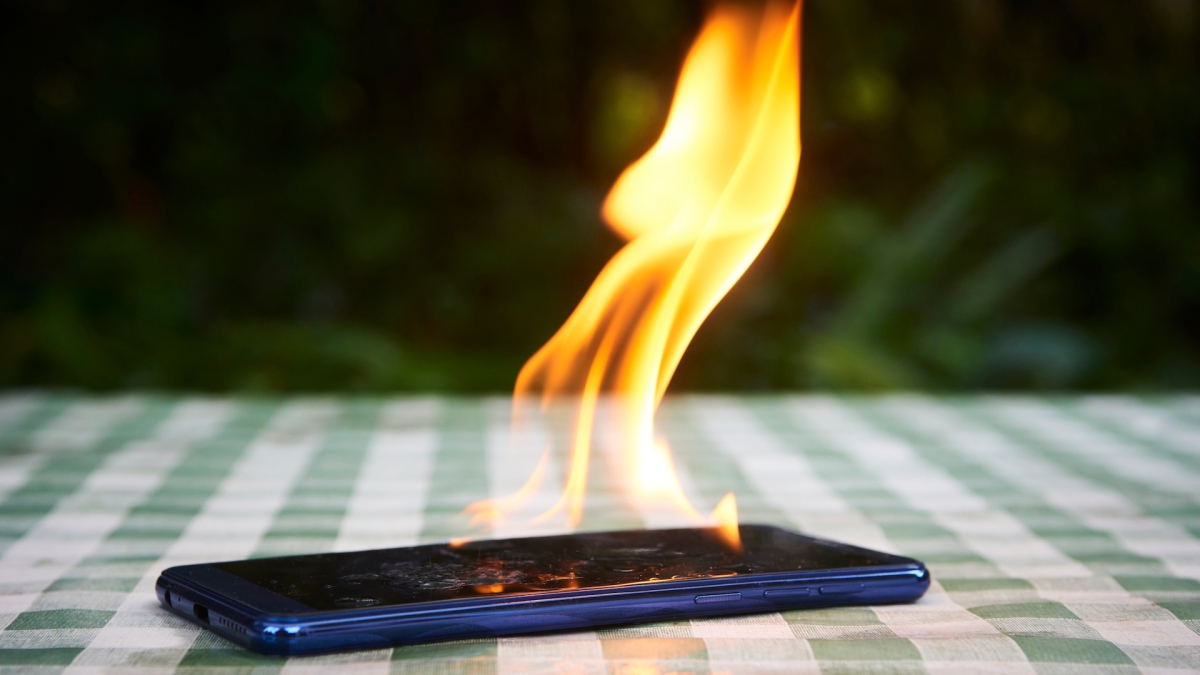
The phrase “battery explosion” sounds dramatic, and thankfully it is not the normal destiny of a healthy battery. However, lithium-ion batteries and other rechargeable batteries can fail dangerously when they are damaged, overheated, poorly made, improperly charged, or simply worn out. A failing battery may overheat, swell, smoke, vent gas, catch fire, or in rare cases burst violently. The good news? Batteries often give warning signs before things get dangerous. The trick is knowing what those signs look, sound, and smell likeand not convincing yourself that your balloon-shaped phone is “probably fine.”
This guide explains how to tell if your rechargeable battery is about to explode, what warning signs matter most, what to do immediately, and how to prevent battery problems before your device starts auditioning for a disaster movie.
Why Rechargeable Batteries Can Become Dangerous
Most rechargeable devices today use lithium-ion or lithium-polymer batteries because they are light, powerful, and efficient. They pack a lot of energy into a small space, which is exactly why your phone can stream videos, take photos, and drain your attention span for hours. But that high energy density also means a damaged or defective battery can release heat very quickly.
The most serious failure is called thermal runaway. In simple terms, one part of the battery gets too hot, which causes chemical reactions inside the cell, which creates even more heat. That heat can spread to nearby cells in a battery pack. Once the process starts, it can move fast. This is why a smoking e-bike battery, swollen power bank, or overheating laptop should never be treated like a minor inconvenience.
Thermal runaway may be triggered by several things: crushing, puncturing, dropping the device, using the wrong charger, exposing the battery to extreme heat, charging a damaged battery, manufacturing defects, water damage, or years of wear. Not every old battery is dangerous, but every battery with obvious warning signs deserves respect.
Major Warning Signs Your Rechargeable Battery Is Unsafe
A battery does not need to literally say “I am about to ruin your afternoon” to warn you. Look for these red flags.
1. The Battery or Device Is Swelling
Swelling is one of the clearest signs that a rechargeable battery is failing. A swollen battery may make a phone screen lift, cause a laptop trackpad to bulge, push open the back cover of a device, or make a power bank look puffy instead of flat. In pouch-style batteries, swelling can look like a soft pillow forming under the case.
Do not press on it. Do not poke it. Do not try to “flatten” it. A swollen battery may contain gas from internal chemical breakdown. Pressing, bending, or puncturing it can make the situation worse. If your device has started looking like it ate a Thanksgiving dinner, stop using it immediately.
2. The Battery Feels Hot During Normal Use
Rechargeable batteries often become slightly warm while charging or during heavy use. That can be normal. What is not normal is a device becoming too hot to comfortably hold, heating up while idle, or getting hotter after you unplug it.
For example, a phone getting warm during a long gaming session is not automatically an emergency. A phone heating up on a desk while doing nothing is more concerning. A power bank becoming hot while charging only a small device is also a warning sign. Heat is one of the most important clues that something inside the battery may be unstable.
3. You Notice a Strange Smell
A failing battery may release a sharp, sweet, metallic, chemical, or solvent-like odor. People describe it differently, but the important point is this: if your device suddenly smells like chemicals, burnt plastic, or something “electrical,” stop using it.
Do not lean in for a better sniff like you are judging a suspicious leftover container. Move away, unplug the device if it is safe to do so, and keep it away from anything flammable.
4. You Hear Hissing, Popping, Crackling, or Buzzing
Unusual sounds from a battery-powered device are never a charming personality trait. Hissing can mean gas is venting. Popping or crackling may signal internal failure, heat damage, or electrical problems. A charger or device that makes new, unusual noises deserves immediate attention.
If the device is making noises and also feels hot, smells odd, or shows swelling, treat it as urgent. Do not pick it up with bare hands. Do not move it across the house like a nervous waiter carrying soup. Create distance and call emergency services if there is smoke, fire, or immediate danger.
5. Smoke, Vapor, or White/Gray Wisps Appear
Smoke or vapor is a serious warning sign. White or gray wispy smoke from a lithium-ion battery can mean the battery is venting and may ignite. At this point, the situation is no longer “battery maintenance.” It is a safety event.
If a rechargeable battery smokes, evacuate the area, keep others away, and call emergency services. Do not breathe the fumes. Do not try to save the device. No phone, scooter, laptop, or discount power bank is worth a lungful of mystery chemicals.
6. The Device Is Leaking Fluid
Rechargeable batteries should not leak. Any visible liquid, crusty residue, sticky material, or corrosion around the battery, charging port, or seams of a device is a bad sign. Battery chemicals can irritate skin and damage surfaces. Avoid direct contact and do not attempt to clean the battery aggressively.
Place the item somewhere away from combustible materials if it is safe to move, then contact the manufacturer, local hazardous waste program, or a qualified repair professional for safe handling guidance.
7. The Battery Drains Extremely Fast or Shuts Down Suddenly
Rapid battery drain is not always a sign of explosion risk. Sometimes it simply means the battery is old. However, when fast draining appears with heat, swelling, strange smells, or charging problems, it becomes more serious.
Watch for patterns. A laptop that drops from 60% to 5% in minutes, a phone that shuts off at 30%, or a cordless tool battery that loses charge immediately may have internal deterioration. If the battery also gets hot or looks deformed, retire it.
8. Charging Becomes Weird or Unpredictable
Charging problems are another clue. Warning signs include a battery that refuses to charge, charges extremely slowly, jumps from low to full suddenly, restarts repeatedly while charging, or only charges when the cable is held at a weird angle like you are negotiating with a tiny electrical goblin.
Sometimes the issue is a bad cable or dirty port. But if the device heats up, smells odd, swells, or behaves erratically with multiple known-good chargers, stop using it and have it checked.
9. The Battery Was Dropped, Crushed, Punctured, or Water-Damaged
Physical damage can compromise the internal separator that keeps parts of the battery from short-circuiting. A battery may look fine after a drop but fail later. This is especially important for e-bike batteries, scooter packs, drone batteries, power tool batteries, and large power stations.
If a battery casing is cracked, dented, punctured, bent, or wet, do not charge it. Charging a damaged battery is one of the fastest ways to turn a repairable problem into a dangerous one.
What to Do Immediately If You See Warning Signs
Your first goal is not to diagnose the battery like a laboratory technician. Your first goal is to stay safe.
Stop Using and Charging the Device
If the battery is swelling, overheating, smoking, leaking, making unusual sounds, or smelling strange, stop using it immediately. If it is plugged in and you can unplug it safely without touching the hot or damaged area, do so. If unplugging would put you close to smoke, flames, or extreme heat, back away instead.
Move It Away From Flammable Materials Only If Safe
If the device is only slightly warm and not smoking, you may be able to place it on a nonflammable surface away from curtains, bedding, paper, carpet, and furniture. Good options include a clear concrete floor, tile floor, or metal tray. But never risk burns or inhaling fumes to move it.
Do Not Put It in the Trash
A damaged rechargeable battery can start a fire in a trash can, garbage truck, recycling facility, or landfill. Lithium-ion batteries should be taken to a proper battery recycling site, electronics recycler, or household hazardous waste collection point. Before disposal, many recycling programs recommend taping terminals or placing batteries in separate bags to prevent short circuits, but damaged batteries may need special handling.
Do Not Try DIY Battery Surgery
Do not cut open the battery. Do not puncture it. Do not freeze it. Do not dunk it in random liquids. Do not follow dramatic internet “fixes.” A swollen or smoking battery is not a craft project. Contact the device manufacturer, a qualified repair shop, or your local hazardous waste program.
Call Emergency Services for Smoke, Fire, or Immediate Danger
If a battery is smoking, flaming, making violent popping sounds, or creating heavy fumes, evacuate and call emergency services. Close doors behind you if safe to slow smoke spread. Keep people and pets away. Let trained responders handle the hazard.
Common Devices Where Battery Problems Show Up
Rechargeable battery issues can happen in many devices, but some categories deserve extra attention because they store more energy or are frequently charged indoors.
Phones and Tablets
Look for lifted screens, bulging backs, overheating during normal use, sudden shutdowns, or a chemical smell near the charging port. If the screen is separating from the frame, stop using the device and do not press it back together.
Laptops
A swollen laptop battery may cause the touchpad to rise, the keyboard to warp, the bottom cover to bulge, or the laptop to wobble on a flat desk. If your laptop suddenly looks like it is doing a push-up, shut it down and get professional service.
Power Banks
Power banks are easy to forget in cars, backpacks, and drawers. Watch for swelling, cracked cases, rattling, overheating, or ports that smell burnt. Avoid cheap, uncertified chargers and power banks from unknown sellers, especially when the price seems too good to be true and the brand name looks like someone dropped Scrabble tiles.
E-Bikes and E-Scooters
E-bike and scooter batteries store much more energy than a phone battery. Warning signs include charging heat, damaged packs, cracked cases, loose wiring, strange smells, rapid range loss, or chargers that get unusually hot. Never charge these batteries near exits, beds, couches, or piles of clutter. Use only the charger designed for the battery.
Power Tool Batteries
Tool batteries take abuse: drops, dust, heat, cold, and job-site chaos. Retire packs that are cracked, swollen, wet, heavily dented, or repeatedly overheating. A battery that has been run over, punctured, or left in extreme heat should not be trusted.
How to Prevent Rechargeable Battery Fires
Prevention is much easier than dealing with a battery that has decided to become spicy. Use these habits to reduce risk.
Use the Right Charger
Use the charger and cable recommended by the manufacturer. A poor-quality charger can deliver unstable power, overheat, or fail to communicate properly with the device. This is especially important for large batteries such as e-bike, scooter, drone, and power tool packs.
Avoid Extreme Temperatures
Do not leave rechargeable batteries in hot cars, direct sun, freezing garages, or near heaters. Heat speeds up battery aging and can increase failure risk. Cold can also affect charging behavior and battery health. Room temperature is boring, but batteries love boring.
Charge on a Hard, Open Surface
Avoid charging devices under pillows, on beds, on couches, or buried under blankets. Soft surfaces trap heat. A hard surface with airflow is safer. Your phone does not need a nap under a comforter while charging.
Do Not Keep Damaged Devices in Service
If your device has been dropped, crushed, bent, or exposed to water, inspect it carefully. If you see swelling, cracks, heat, odor, or charging problems, stop using it. Saving a few dollars by ignoring the problem can become a very expensive decision.
Buy Certified Products From Trustworthy Sellers
Look for products tested by recognized safety organizations and sold by reputable retailers. Counterfeit batteries and bargain-bin chargers may lack proper protection circuits. When a listing promises “ultra mega turbo 999999 mAh” for the price of a sandwich, skepticism is your friend.
Recycle Batteries Properly
Do not toss rechargeable batteries into household trash or regular recycling. Use battery recycling programs, electronics retailers that accept batteries, municipal household hazardous waste sites, or manufacturer take-back options. Proper recycling helps prevent fires in waste trucks and sorting facilities.
Is Every Warm Battery Dangerous?
No. Warmth alone does not always mean a battery is about to explode. Devices can warm up while fast charging, gaming, recording video, navigating with GPS, or running heavy software. The difference is intensity and context.
A mildly warm phone during charging is usually normal. A phone that becomes too hot to hold, smells strange, swells, shuts down repeatedly, or keeps heating after being unplugged is not normal. A laptop fan running during video editing is expected. A laptop case bulging upward is not. A power tool battery warming during heavy use is common. A cracked, smoking, or hissing battery is an emergency.
Think of battery safety like food safety. A little steam from soup is fine. A can of beans bulging on the shelf is not “quirky.” It is a warning.
When to Replace a Rechargeable Battery
Replace or professionally service a rechargeable battery if it shows swelling, physical damage, leakage, unusual odor, repeated overheating, sudden shutdowns, severe capacity loss, or unsafe charging behavior. Also consider replacement when the battery is old and performance has become unreliable, even without dramatic warning signs.
For phones, tablets, earbuds, and laptops, use authorized or qualified repair providers. For e-bike and scooter batteries, contact the manufacturer or a reputable service center. Do not mix random chargers, battery packs, or replacement cells unless the manufacturer specifically approves them.
Real-World Experience: What Battery Trouble Usually Looks Like Before It Becomes Serious
In everyday life, battery problems rarely begin with a Hollywood-style explosion. They usually begin with something small and easy to dismiss. A phone case no longer fits correctly. A laptop trackpad feels oddly stiff. A power bank that used to be flat now rocks slightly on the table. A scooter charger that was always quiet now makes a faint buzzing sound. These are the moments when paying attention matters.
One common experience is the “puffy phone” problem. Someone notices a small gap between the phone screen and frame but keeps using the device because it still turns on. That gap may be a swollen battery pushing the screen outward. The wrong move is pressing the screen down or squeezing the phone into a tight case. The better move is to power it off, stop charging it, and arrange safe repair or disposal. A phone should not be shaped like a pastry.
Another common situation involves power banks. Many people keep them in backpacks, cars, travel bags, or desk drawers for months. Then one day, the power bank feels warmer than expected while charging or looks slightly inflated. Because power banks are often cheap, people may treat them casually. But they contain rechargeable cells and should be handled seriously. If the case is cracked, swollen, or unusually hot, retire it properly. Do not keep it around as a “backup backup.” That is not preparedness; that is collecting tiny anxiety bricks.
E-bike and scooter owners often experience warning signs after a crash, rain exposure, or charger mismatch. The battery may still work, which creates false confidence. But impact or water damage can weaken internal protections. If a battery pack was dropped hard, submerged, dented, or charged with an incompatible charger, it deserves inspection. Charging a damaged large battery indoors near an exit or in a hallway can create serious risk because these packs contain much more stored energy than small electronics.
Laptop batteries offer another familiar example. A swollen internal battery may make the bottom panel curve outward or the trackpad stop clicking normally. Some people blame the desk, the screws, or “just old laptop weirdness.” But a warped laptop body is often a battery warning sign. Continuing to use it can damage the computer and increase safety risk. The smart move is to shut it down, unplug it, and take it to a qualified repair professional.
One of the best habits is doing a quick battery check every few weeks. Look at your devices while they are off the charger. Are they flat where they should be flat? Are seams opening? Are ports discolored? Does anything smell burnt? Does a charger run hotter than it used to? These checks take less than a minute and can prevent major problems.
Travel is another time when battery awareness matters. Before putting a power bank, camera battery, drone battery, or laptop in a bag, inspect it. A battery squeezed in luggage can be damaged by pressure or impact. Keep batteries away from metal objects that could short the terminals. Do not travel with swollen or damaged batteries. Airport security will not be impressed by your “it was fine yesterday” speech.
The most important lesson from real-world battery problems is simple: early warning signs are usually boring. They are small changes in shape, smell, heat, sound, or charging behavior. That boring stage is exactly when you have the most control. Once smoke, flames, or loud popping appears, the situation has moved beyond troubleshooting. Respect the early signs, retire questionable batteries, and let qualified professionals handle repairs.
Conclusion: Trust the Warning Signs Before the Drama Starts
Rechargeable batteries are safe when they are well-made, undamaged, properly charged, and responsibly recycled. But when a battery swells, overheats, smells strange, leaks, smokes, hisses, pops, or behaves unpredictably, it is time to stop using it. Do not charge it “one more time.” Do not poke it. Do not toss it in the trash. Do not ignore it because the device still works.
The safest approach is simple: stop using the device, move away from danger, keep it off flammable surfaces if safe, contact a qualified repair or recycling provider, and call emergency services if there is smoke, fire, or immediate risk. Your gadgets are replaceable. Your home, lungs, hands, and eyebrows are much harder to replace.

