
Hair Care
How to Run a Cable Under Carpet for a Neater Appearance
Jul
Loose cables have a special talent for making an otherwise tidy room look like a tiny office supply store exploded. A speaker wire snakes across the floor, an Ethernet cable performs a dramatic hallway crossing, and suddenly your clean living room has the visual energy of a low-budget spy movie.
Running a cable under carpet can create a cleaner appearance, but there is one major rule to understand before you grab a putty knife and start lifting carpet edges: never hide standard electrical power cords, extension cords, or power strips under carpet or rugs. These cords can overheat, become damaged by foot traffic, and remain hidden until there is a serious problem. U.S. electrical safety organizations and model fire codes warn against placing extension cords beneath floor coverings.
The safer version of this project involves low-voltage communication or AV cables, such as speaker wire, Ethernet cable, coaxial cable, telephone wire, or certain HDMI and audio cables. Even then, the best route is usually around the edge of a carpeted room, close to the baseboard, rather than straight through the middle of a walking path.
Note: This guide focuses on low-voltage cable management. For a permanent power outlet, floor outlet, or wiring hidden inside walls, hire a licensed electrician and follow local electrical codes.
Start by Identifying the Cable You Want to Hide
Before planning the route, identify exactly what kind of cable you are dealing with. This matters because not all wires behave the same way under pressure, bends, furniture, and carpet padding.
Low-Voltage Cables That May Work Along Carpet Edges
- Speaker wire for surround-sound systems
- Ethernet or Cat6 cable for wired internet connections
- Coaxial cable for cable television or antennas
- Phone or alarm-system wiring
- Low-voltage audio cables
- Thin communication cables for home-office equipment
These cables are often easier to conceal near a baseboard because they are slimmer and do not carry standard household line voltage. Some home-improvement guides specifically recommend tucking low-voltage speaker or communication wire into the gap between carpet and baseboard when the route stays out of heavy traffic.
Cables That Should Not Go Under Carpet
- Extension cords
- Power strips or surge protectors
- Lamp power cords
- Computer power cords
- Space-heater cords
- Appliance cords
- Any damaged, frayed, warm, or pinched cable
A carpet may look soft, but it is not a protective electrical enclosure. Foot traffic compresses the cord, furniture can pinch it, and the carpet can trap heat. That is why “I’ll just hide it for now” often turns into “Why is this cable hot?” several months later. Not the kind of home mystery anyone wants.
Choose the Best Route Before Moving the Carpet
The easiest cable route is rarely the shortest route. The shortest path may cut across the center of a room, under a doorway, or beneath a chair that gets dragged around every afternoon. A longer perimeter route usually looks better and lasts longer.
Walk around the room and look for a path that follows the wall. In many rooms, you can route a low-voltage cable from one device to another by running it behind furniture, along the baseboard, and under the very edge of wall-to-wall carpet.
Plan for These Common Obstacles
- Doorways: Avoid routing cables under doors or across thresholds.
- High-traffic areas: Do not hide cable where people constantly step, roll chairs, or drag furniture.
- Carpet tack strips: These sharp strips hold carpet in place and can damage cable jackets.
- Furniture legs: Heavy furniture can crush cable and create a visible bump.
- Heat sources: Keep cables away from baseboard heaters, radiators, fireplaces, and heating vents.
Measure the entire route before buying cable. Add a little extra length for turns, device movement, and future adjustments. A cable that fits with one millimeter to spare may feel impressively precise, but it will also become extremely annoying the first time you move a desk six inches.
Tools and Materials for Hiding a Low-Voltage Cable Under Carpet
You do not need a professional film crew or a suitcase full of mysterious electrician gadgets. For a basic carpet-edge cable route, gather a few simple tools:
- Low-voltage cable rated for its intended use
- Measuring tape
- Plastic putty knife or carpet tucking tool
- Flashlight
- Painter’s tape for marking the route
- Soft cloth for protecting the baseboard
- Optional cable puller or fish tape for longer routes
- Optional wall raceway or baseboard cable channel
Avoid using sharp blades, nails, screws, staples, or metal fasteners near the cable. Staples may seem fast, but they can puncture insulation and turn a tidy cable project into an accidental repair project.
How to Run a Cable Under Carpet Along the Baseboard
Step 1: Test the Cable Before Hiding It
Connect the cable while it is still visible and make sure everything works. Test the internet connection, speaker sound, television signal, or device communication before you conceal anything.
This may sound obvious, but testing first saves you from performing the exact same project twice. The second attempt is usually less fun because it includes phrases such as “I was sure this cable was working.”
Step 2: Disconnect the Cable Ends
Once you confirm that the cable works, disconnect both ends. This prevents you from tugging on a connected device, bending a port, or accidentally pulling a speaker off a shelf during installation.
Step 3: Mark the Cable Route
Use painter’s tape to mark the route along the baseboard. Keep the cable path close to the wall and away from the center of the room. The goal is to make the cable disappear into the room’s perimeter, not create a secret obstacle course under the carpet.
Step 4: Gently Lift the Carpet Edge
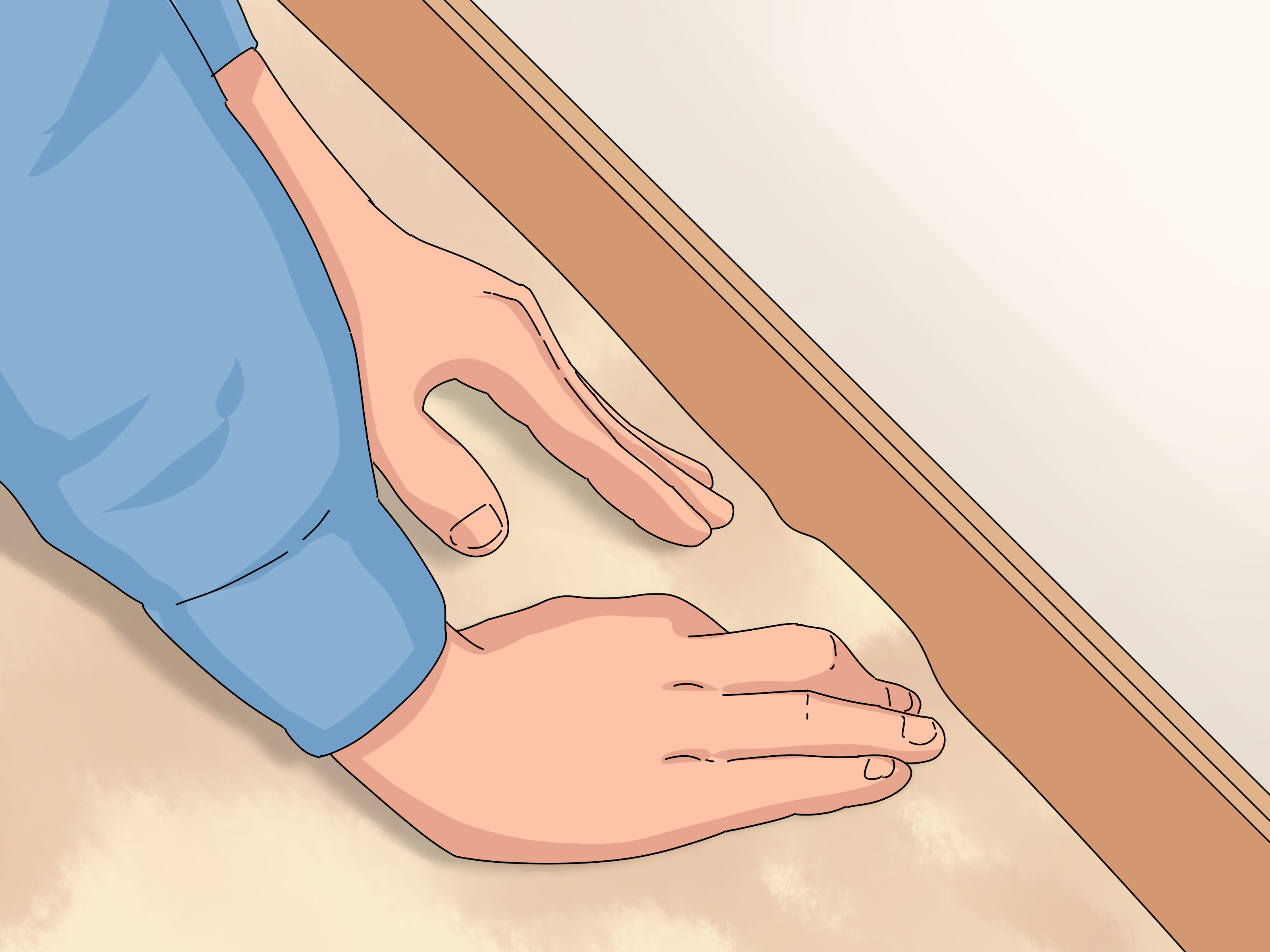
Work slowly near the baseboard. Use a plastic putty knife or carpet tucking tool to create a small opening between the carpet edge and the wall. Do not yank the carpet upward, and do not pry aggressively around the tack strip.
Many wall-to-wall carpets are held in place by tack strips near the perimeter. Those strips contain sharp points designed to grip carpet backing, not politely welcome your cable. Keep the cable away from them.
Step 5: Feed the Cable Along the Perimeter
Guide the cable along the edge of the carpet, as close to the baseboard as practical. Work in short sections rather than trying to shove the entire cable through at once. Keep the cable straight, relaxed, and free of twists.
Do not pull the cable so tightly that it resembles a miniature clothesline. Cables need gentle turns and a little slack near device connections. Excessive pulling, sharp bending, pinching, and twisting can damage communication and AV cables or reduce their performance.
Step 6: Tuck the Carpet Back Into Place
After the cable is positioned, press the carpet edge back into place with your hand or a carpet tucking tool. Check for lumps, raised edges, or areas where the cable creates a visible ridge.
If the carpet will not sit flat, do not force it. A cable that creates a noticeable hump is telling you something useful: the route, cable thickness, or carpet gap is not suitable. Move the cable behind the baseboard, use a wall-mounted raceway, or choose another path.
Step 7: Reconnect and Test Everything Again
Reconnect both ends and test the equipment one more time. Check sound quality, network speed, video signal, or device response. Then walk around the room and make sure no carpet edge lifts, bulges, or shifts underfoot.
When Behind-the-Baseboard Routing Works Better
Sometimes the cleanest solution is not under the carpet at all. If your baseboards can be carefully removed and reinstalled, you may be able to create space behind them for low-voltage cable.
This approach can be especially useful for speaker wire, Ethernet cable, and television wiring. The cable stays out of sight, the carpet remains untouched, and you avoid creating a ridge under the flooring. Some installation methods use a shallow groove behind removable trim, but you must avoid driving nails into the cable when reinstalling the baseboard.
For renters, removable adhesive cable channels are often easier. A paintable wall raceway can blend into trim or wall color without requiring major changes to the room.
Better Alternatives for Power Cords
If the cable you want to hide carries household power, do not place it under carpet. Choose one of these safer alternatives instead:
- Move furniture closer to an existing outlet.
- Install a new outlet through a licensed electrician.
- Use a listed wall-mounted cable raceway where appropriate.
- Use a floor cord protector designed for visible surface routing.
- Choose furniture with integrated cable management.
- Use a properly installed floor outlet for desks or seating areas away from walls.
Power raceways and cord covers can help organize visible cords, but follow the product instructions carefully. Some raceway systems are designed for low-voltage communication cable, while others are rated for power distribution and may require professional installation.
Common Mistakes to Avoid
Running Cable Across the Middle of the Room
Even a thin cable can create a hidden bump. In busy spaces, that bump can become a trip hazard or gradually damage the cable. Route around the perimeter whenever possible.
Using an Extension Cord as a Permanent Fix
Extension cords are intended for temporary use, not permanent room design. OSHA safety guidance also treats extension cords as temporary wiring and emphasizes keeping them in good condition and away from damage.
Stapling or Nailing Cable Into Place
Fasteners can crush or pierce cable insulation. This is especially risky with power cords, but it can also ruin data and speaker cable. Use cable channels, clips designed for the cable type, or a safer perimeter route instead.
Ignoring Carpet Thickness
Thick plush carpet and thick cable are not always friends. If the cable makes the carpet rise, switch to a thinner cable designed for the application, route it behind trim, or install a wall raceway.
Hiding a Damaged Cable
Never conceal a cable that is cracked, frayed, hot, kinked, or unreliable. Replace it first. A hidden cable should be in better condition than a visible cable, not worse.
Frequently Asked Questions
Can I run an Ethernet cable under carpet?
In many cases, a low-voltage Ethernet cable can be routed along the edge of wall-to-wall carpet near a baseboard, provided it stays away from tack strips, doorways, heavy furniture, and high-traffic areas. Avoid crushing or sharply bending the cable.
Can I run a speaker wire under carpet?
Speaker wire is one of the most common low-voltage cables hidden near carpet edges. Use an appropriately sized cable, keep it around the perimeter of the room, and avoid running it beneath carpet in areas where people walk constantly.
Can I put an extension cord under carpet?
No. Do not place extension cords, surge protectors, or standard power cords under carpet or rugs. The cord can overheat, become damaged, and remain hidden from view.
What should I do if the cable creates a bump?
Do not leave it there. A noticeable bump can become a trip hazard and may stress the cable. Move the cable closer to the baseboard, install a baseboard channel, use a wall raceway, or choose another route.
Should I hire a professional?
Hire a professional when the project involves permanent electrical wiring, new outlets, floor outlets, wall openings, structured home networking, or expensive audio-video equipment. A simple low-voltage cable tuck may be manageable for many homeowners, but a power-related installation is not the place for improvisation.
Real-World Experiences: What Makes Carpet Cable Routing Easier
The easiest cable-hiding projects usually begin with a realistic expectation: the goal is not to make the cable magically cease to exist. The goal is to make it unobtrusive, protected, easy to inspect when necessary, and unlikely to surprise someone’s bare foot at midnight.
One of the most useful lessons from real-world cable management is that perimeter routing almost always looks better than direct routing. A homeowner may initially want to run speaker wire straight from a television stand to rear speakers across the center of the room. On paper, that route is short and efficient. In reality, it places the cable where people walk, vacuum, move furniture, and occasionally perform dramatic “I’m late” sprints across the living room.
Running the cable around the edge of the room adds a few extra feet, but it usually makes the room feel calmer. The wire disappears near the baseboard, furniture hides the device connections, and nobody has to remember that a cable is lurking under the exact spot where they place their coffee table.
Another common experience is discovering that carpet thickness matters more than expected. A very thin speaker wire may tuck neatly along a baseboard, while a thicker Ethernet cable can create a small raised line under dense carpet. The answer is not to shove harder. The answer is to change the route, use a flatter cable where appropriate, or move the cable behind the trim.
People also learn quickly that carpet edges can be less forgiving than they look. Older carpet may be tightly secured to tack strips, and aggressively lifting it can damage the backing or loosen the carpet. Working in small sections is slower, but it keeps the project controlled. A plastic tool is much friendlier than a screwdriver, which has a remarkable ability to scratch walls, jab fingers, and invent new problems.
In home offices, Ethernet cable is often the cable worth hiding because it can transform a cluttered desk setup into something that feels intentional. A wired connection can run from a router near one wall to a desk on another wall without becoming the room’s most visible feature. The trick is to keep the cable close to trim, avoid tight bends, and leave enough slack at both ends so moving the desk does not turn into a full rewiring event.
For home theaters, speaker wire presents a similar challenge. Rear speakers look great until their wires march through the middle of the room like tiny black garden hoses. Routing low-voltage speaker wire around the room perimeter can preserve the clean look without forcing you to rearrange every piece of furniture around the cable path.
The most successful projects also include a quick maintenance check a few days later. Walk the room, inspect the carpet edge, make sure furniture has not shifted onto the cable, and verify that the devices still work properly. A neat cable route should remain boring. That is the highest compliment cable management can receive.
Finally, remember that no hidden-cable solution is worth compromising electrical safety. A visible power cord managed with a proper surface cover is far better than a concealed power cord trapped under carpet. Good cable management is not about making everything invisible. It is about making the room cleaner, safer, and easier to live in.
Conclusion
Running a cable under carpet can improve the appearance of a living room, bedroom, home office, or entertainment area, but the safest method depends on the cable type. Low-voltage speaker wire, Ethernet cable, and communication cable may be routed discreetly along carpet edges near baseboards when they are kept away from tack strips, doorways, heavy furniture, and high-traffic zones.
Power cords are different. Do not hide extension cords, surge protectors, or appliance cords under carpet. Use a proper outlet, a listed raceway, a floor cord protector, or help from a licensed electrician. A neat room is great. A neat room that does not include a hidden electrical hazard is even better.

