
Hair Care
Here’s When Gemini Advanced Is Worth the Monthly Fee
Jun
Paying for an AI subscription used to feel like buying a fancy blender: impressive, shiny, and maybe destined to gather digital dust after one enthusiastic weekend. Gemini Advanced, now commonly bundled under Google’s Google AI Pro subscription, is different because it sits inside an ecosystem many people already use every day: Gmail, Docs, Drive, Search, Photos, Android, NotebookLM, and more. That is also what makes the monthly fee tricky. For one person, it is a productivity rocket. For another, it is a very polite $20-ish monthly reminder that the free version was already enough.
So when is Gemini Advanced worth it? The honest answer: when you use AI often enough that better reasoning, larger file handling, research tools, Google app integration, and creative features save you real time or help you produce better work. If your AI use is “write a birthday caption for my dog twice a year,” keep your money. Your dog will still feel emotionally supported.
This guide breaks down who should pay, who should skip, and how to decide whether Gemini Advanced earns its place next to your streaming subscriptions, cloud storage plan, and that one app you forgot to cancel in 2022.
What Is Gemini Advanced?
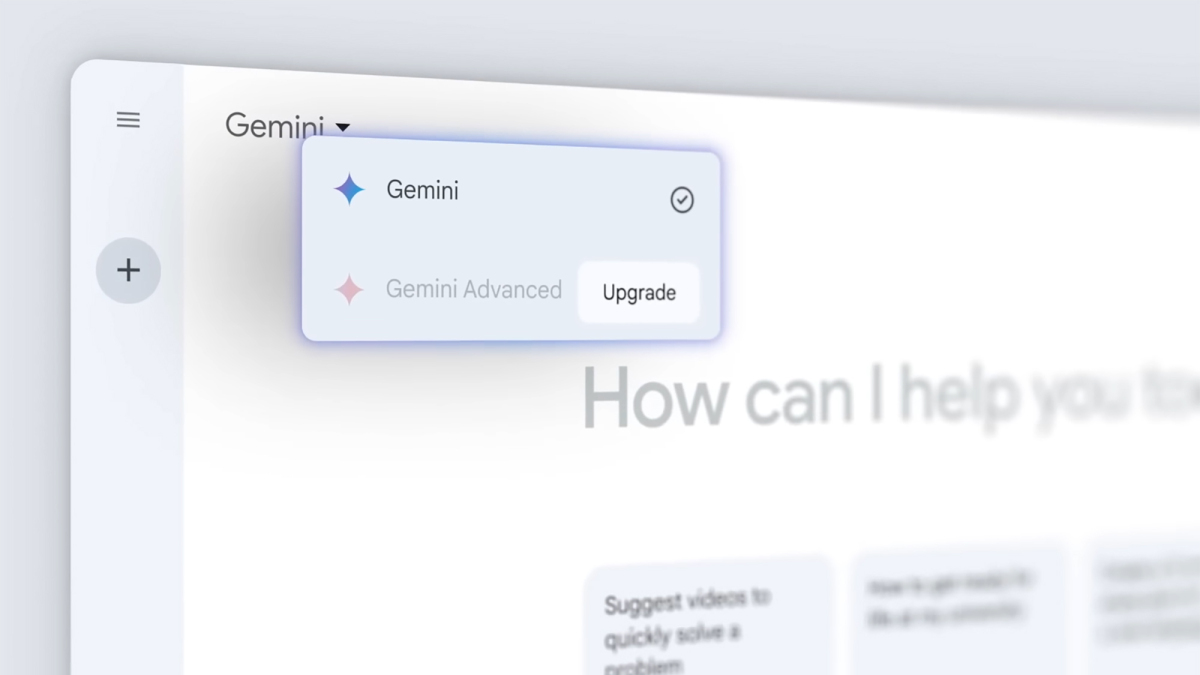
Gemini Advanced is Google’s premium AI experience for users who want more than basic chatbot help. The name has evolved as Google reorganized its AI subscriptions, but the idea remains the same: paid users get higher access to Google’s more capable Gemini models, stronger reasoning, deeper research tools, more generous usage limits, and extra AI features across Google products.
Depending on region and plan changes, Gemini Advanced may appear as part of Google AI Pro or a similar Google AI subscription. The package often includes expanded cloud storage, access to Gemini inside Google apps, higher limits in NotebookLM, creative tools such as image or video generation, and more advanced assistance for writing, coding, studying, planning, and analysis.
The biggest difference from the free Gemini experience is not that the paid version suddenly becomes a magic robot butler. It is that Gemini Advanced can handle heavier work with more patience. Long documents, complex prompts, multi-step reasoning, research reports, code review, spreadsheet-style analysis, and creative workflows are where the paid plan starts to look less like a toy and more like a useful digital coworker.
The Monthly Fee Makes Sense When You Already Live in Google’s World
If your workday happens inside Google Workspace, Gemini Advanced becomes much easier to justify. The subscription is most valuable when it connects to the tools you already use instead of forcing you to copy, paste, upload, download, whisper a spell, and hope the formatting survives.
Gmail, Docs, Drive, and Sheets Are the Real Value
For heavy Google users, Gemini’s app integration is the star of the show. Imagine asking it to summarize a long email thread, draft a cleaner reply, pull key points from a document, brainstorm headings for a Google Doc, or help organize research notes. The time savings add up quickly.
For example, a freelance consultant who writes proposals in Docs, stores client files in Drive, and communicates through Gmail could use Gemini Advanced to turn a messy client brief into a polished outline, generate follow-up questions, summarize a contract, and draft an email response. That is not just “AI fun.” That is billable time protected from administrative quicksand.
Students, teachers, marketers, small business owners, and office workers can all benefit from this kind of integration. If you spend several hours a week managing documents, emails, notes, and research, Gemini Advanced has a realistic chance of paying for itself.
It Is Worth It for Research-Heavy Work
One of Gemini Advanced’s strongest selling points is research support. Google has pushed tools like Deep Research and NotebookLM into the center of its AI ecosystem, and that matters for anyone who needs to understand complicated topics quickly.
Deep Research can help generate structured reports, compare sources, create summaries, and organize findings. NotebookLM is especially useful for people who work with their own material: PDFs, notes, transcripts, presentations, documents, and study files. Instead of asking a general chatbot to guess, you can give the AI a focused source library and ask questions inside that context.
Who Gets the Most Research Value?
Gemini Advanced is especially useful for students working through dense academic readings, content writers building outlines from multiple sources, business analysts reviewing market information, lawyers or paralegals organizing non-confidential documents, and product teams studying customer feedback. It can condense 60 pages of material into a usable summary, identify themes across notes, and turn research clutter into something with a table of contents.
Of course, AI research still needs human review. Gemini can summarize beautifully and still miss nuance, misread context, or overstate a point with the confidence of someone explaining cryptocurrency at Thanksgiving. Use it as a research assistant, not as the final authority.
It Is Worth It If You Work With Long Files
The free version of most AI tools is fine for short prompts. The pain starts when you need help with long documents, large uploads, complex transcripts, multiple files, or extended conversations. Paid Gemini plans typically offer more capacity for these heavier tasks.
This matters when you are not asking, “What is a good headline?” but instead asking, “Read this 42-page report, compare it with these meeting notes, identify contradictions, summarize the action items, and draft an executive update in a friendly but not-too-friendly tone.” That is where larger context and better reasoning become useful.
Practical File-Based Examples
A teacher can upload curriculum notes and ask Gemini to create lesson plans at different difficulty levels. A YouTuber can paste a long transcript and ask for chapters, short descriptions, and repurposed social posts. A project manager can summarize meeting notes and identify owners, deadlines, and risks. A developer can ask for help understanding a codebase or debugging logic across multiple files.
If this sounds like your week, Gemini Advanced is not a luxury. It is a time-management tool wearing a chatbot costume.
It Is Worth It for Coding and Technical Problem-Solving
Gemini’s more advanced models are designed to perform better on complex reasoning, math, coding, and multi-step problem-solving. For programmers, data workers, spreadsheet warriors, and technical students, this can be a meaningful upgrade.
Gemini Advanced can help explain unfamiliar code, suggest refactoring ideas, generate test cases, translate logic between languages, debug errors, and outline software architecture. It is also useful for non-developers who need technical help, such as building formulas, cleaning data, creating scripts, or understanding API documentation.
However, developers should treat AI-generated code like a junior assistant who drinks too much coffee. Helpful? Absolutely. Ready to deploy straight to production? Please do not make your future self cry. Review everything, test everything, and never paste secrets, private keys, or sensitive company code into consumer AI tools unless your organization has approved it.
It Is Worth It for Creators Who Use AI Often
Google has increasingly tied its paid AI plans to creative features: image generation, video tools, AI editing, storyboarding, Google Flow, Gemini in creative workflows, and higher access to media generation models. If you create content regularly, this can be valuable.
Bloggers can brainstorm article structures, generate FAQ sections, rewrite rough drafts, and adapt one article into newsletter blurbs or social captions. Designers and video creators can use AI tools for mood boards, visual concepts, shot ideas, scripts, thumbnails, or short-form video planning. Small businesses can draft product descriptions, seasonal campaigns, ad concepts, and customer email templates.
When Creative AI Pays for Itself
The fee becomes easier to justify when Gemini Advanced helps you produce more publishable work in less time. If one AI-assisted campaign idea, client draft, lesson pack, or product page saves an hour or helps you earn money, the monthly cost becomes less painful.
But if you only want occasional image prompts or casual brainstorming, the free Gemini version may be enough. Paid creative tools are best for people with a steady output schedule, not people who generate one cyberpunk raccoon poster and retire from art forever.
It May Be Worth It for Cloud Storage Alone
One reason Gemini Advanced feels different from standalone AI subscriptions is that Google often bundles it with cloud storage and Google One-style benefits. If you already pay for Google storage, the upgrade math changes.
Suppose you already need extra storage for Gmail, Drive, and Photos. In that case, the AI subscription is not simply an AI fee; it is partly a storage plan with premium AI layered on top. For families or users with years of photos, work files, shared folders, and email archives, this can make the plan more attractive.
If you do not need storage, the value depends much more on how often you use advanced AI features. A person with 12 gigabytes of files and no interest in AI research tools will not feel the same benefit as someone juggling Drive folders like a circus act.
When Gemini Advanced Is Not Worth It
Gemini Advanced is powerful, but not everyone needs it. In fact, many users should start with the free plan and upgrade only after they hit a clear limitation.
You Should Skip It If Your AI Use Is Casual
If you mostly ask quick questions, rewrite short messages, brainstorm dinner ideas, translate simple text, or summarize a paragraph, the free version is probably enough. Paying for advanced AI when you use it casually is like renting a moving truck to carry one sandwich.
You Should Skip It If You Do Not Use Google Apps
Gemini Advanced shines brightest inside Google’s ecosystem. If you live in Microsoft 365, Notion, Slack, Apple Notes, or another workflow, Google’s built-in advantages may matter less. You can still use Gemini as a standalone assistant, but the subscription’s unique value becomes weaker.
You Should Skip It If Privacy Is Your Main Concern
AI privacy settings deserve attention. Google provides controls for activity, data retention, and personalization, but users should still be careful with confidential information. Do not paste sensitive business data, private legal documents, medical details, passwords, or financial records into any consumer AI tool unless you fully understand the privacy terms and your organization allows it.
If your work involves highly sensitive material, a consumer Gemini Advanced subscription may not be the right fit. You may need an enterprise plan with stronger administrative controls, contractual protections, and data-handling terms.
A Simple Rule: Upgrade When You Hit a Wall
The best time to subscribe is not when you are curious. It is when the free version regularly blocks your workflow.
Upgrade when you need longer context, deeper research, higher file limits, stronger coding help, more consistent access to premium models, Google Workspace integration, or creative tools you will actually use. Do not upgrade because the feature list looks impressive. Feature lists are designed to make your wallet feel underachieving.
A practical test is to track your AI use for one week. Write down every time Gemini saves you time, improves a draft, explains something complicated, or helps finish a task. If you find yourself using it daily and wishing it could handle more, Gemini Advanced is probably worth trying. If you forget the test exists by Tuesday, the free version is calling your name.
Real-World Scenarios Where Gemini Advanced Makes Sense
The Student With Too Many Readings
A college student can use Gemini Advanced and NotebookLM to summarize lecture notes, create study guides, generate quizzes, compare readings, and explain difficult concepts in plain English. The value is strongest when the student uses it as a learning partner, not a shortcut machine.
The Small Business Owner
A small business owner can use Gemini to write product descriptions, respond to customer emails, analyze reviews, plan social media posts, summarize supplier documents, and draft promotional campaigns. If it saves even a few hours a month, the fee can be reasonable.
The Content Writer or SEO Specialist
For writers, Gemini Advanced can help with topic research, outlines, search intent analysis, headline variations, meta descriptions, FAQ sections, and content refresh ideas. It should not replace original insight, fact-checking, or editorial judgment, but it can make the blank page less terrifying.
The Developer or Technical Learner
Developers can use it for code explanation, debugging, architecture brainstorming, documentation, and test generation. Beginners can ask for patient explanations. Experienced developers can use it as a second brain for repetitive tasks. Either way, the best results come from clear prompts and careful review.
How to Get the Most Value From Gemini Advanced
Start by using Gemini Advanced on real tasks, not novelty prompts. Ask it to summarize a document you actually need to understand. Have it draft a reply you actually need to send. Use it to outline a report you actually need to finish. The more practical the task, the easier it is to measure value.
Second, give it context. Instead of saying, “Write an email,” say, “Write a friendly but concise follow-up email to a client who missed our Monday meeting. Mention that I can reschedule Tuesday or Wednesday afternoon. Keep it under 120 words.” AI loves context the way houseplants love sunlight. Without it, things get pale and weird.
Third, create repeatable workflows. Save prompts for weekly reports, content outlines, study summaries, meeting recaps, customer responses, and document reviews. Gemini Advanced becomes much more valuable when it is part of a system instead of a random toy you open when procrastinating.
of Experience: What It Feels Like to Use Gemini Advanced Regularly
Using Gemini Advanced regularly feels less like hiring a genius and more like getting a fast, tireless assistant who is excellent at first drafts, summaries, and structure. The best experience comes when you stop expecting it to “do everything” and start giving it well-defined jobs. Ask it for a finished masterpiece from a vague prompt, and you may get something glossy but generic. Ask it to compare three documents, create a decision table, identify missing details, and rewrite your messy notes into a clean brief, and suddenly the monthly fee starts looking much smarter.
The biggest everyday benefit is momentum. Many people do not struggle because they lack ideas; they struggle because starting is annoying. Gemini Advanced is useful for turning a foggy task into a workable first step. A blank Google Doc becomes an outline. A chaotic email thread becomes five bullet points. A long PDF becomes a summary with questions to investigate. A rough paragraph becomes three cleaner versions with different tones. That kind of assistance does not replace skill, but it reduces friction.
In writing workflows, Gemini Advanced is strongest as an editor, planner, and angle generator. It can suggest headlines, restructure sections, simplify dense explanations, and create examples. The trick is to avoid publishing its first answer untouched. The first answer is usually a competent intern draft: useful, organized, and occasionally too smooth. Human editing adds opinion, personality, accuracy, and the little spark that makes an article feel alive instead of laminated.
For research, the experience is powerful but requires discipline. Gemini can help map a topic quickly, but you still need to verify facts, especially when dates, prices, policies, laws, medical claims, or product details matter. The best workflow is to use Gemini to organize the research process: ask what questions to answer, what comparisons to make, what risks to check, and what terms to define. Then verify the important details yourself. AI is great at arranging the puzzle pieces; it is not always great at noticing one piece came from a different box.
For productivity inside Google apps, Gemini Advanced feels most valuable when you are already drowning in documents, email, and notes. It can help you move faster through the boring middle of knowledge work. It will not attend your meetings for you, but it can help turn meeting mess into action items. It will not become your business strategist overnight, but it can help you pressure-test a plan. It will not magically make your inbox less rude, but it can help you reply without sounding like you typed with clenched teeth.
The emotional value is real too. A good AI assistant reduces decision fatigue. Instead of asking, “Where do I start?” you ask Gemini for three options. Instead of rewriting a sentence eight times, you ask for alternatives. Instead of reading a long document cold, you ask for the main themes first. That creates a calmer workflow. You still do the thinking, but you spend less energy wrestling with the first draft.
The downside is that paid access can make you overuse AI where human judgment is faster. Not every task needs a prompt. Sometimes the best tool is still your own brain, a keyboard, and a cup of coffee strong enough to negotiate international treaties. Gemini Advanced is worth the monthly fee when it supports your workflow, not when it becomes another tab you check out of habit.
Final Verdict: When Is Gemini Advanced Worth It?
Gemini Advanced is worth the monthly fee when you use AI frequently for serious work: research, writing, coding, studying, planning, summarizing, document analysis, and Google Workspace productivity. It is especially valuable if you already rely on Gmail, Docs, Drive, Photos, NotebookLM, and other Google tools.
It is less worth it if your AI use is occasional, your workflow is outside Google’s ecosystem, you do not need extra storage, or you mainly ask simple questions the free version can handle. The smartest approach is to start free, identify your limits, then upgrade when the paid plan solves a real problem.
In other words, Gemini Advanced is not worth paying for because it is shiny. It is worth paying for when it saves time, improves output, reduces busywork, and helps you finish work you were already going to do. That is the difference between a subscription and a monthly souvenir from your curiosity.

